Enquiries & quotations
Track the brief, site survey, budget expectations and follow-up responsibilities. Keep quote revisions linked to the same opportunity so a new estimate does not lose the original assumptions.

Interior fit-out CRM and project management software should connect what sales promised with what the project team must deliver. Plan a shared view of design decisions, procurement, dependencies and site milestones.
Interior Fit-Out CRM · Proposed workflow & solution scope
| Work package | Dependency | Status |
|---|---|---|
| Joinery installation | Material approval | Awaiting approval |
| Ceiling inspection | MEP completion | Scheduled |
| Client handover | Snag closure | Planned |
When an approved drawing, BOQ revision and procurement list live in separate conversations, a site team can build to an outdated assumption. A late material approval can move installation dates and dependent trades. The CRM needs to show what changed, who approved it and which commitments now need attention.
Unapproved design revisions reach procurement or site.
Dependencies are hidden in disconnected task lists.
Variations and commitments obscure the project cost position.
For interior contractors, design-and-build studios, fit-out project managers, estimators, procurement teams and site coordinators.
Start with the customer enquiry and qualification, then connect estimation to project execution. Define the approval gates for drawings, BOQs, quotations and variations before configuring task ownership or reporting.
Proposed solution scope: every feature below needs confirmation in a relevant demo and a written agreement.
Use these requirements to evaluate fit. Discuss the records, rules and exceptions behind each module.
Track the brief, site survey, budget expectations and follow-up responsibilities. Keep quote revisions linked to the same opportunity so a new estimate does not lose the original assumptions.
Identify the current drawing and bill of quantities, approval owner and revision date. Distinguish submitted, commented and approved documents before releasing items to procurement.
Connect approved BOQ items to purchase requests, suppliers, lead times and receiving status. Assign internal teams and subcontractors with a clear definition of completion.
Plan task dates, predecessors, milestones and critical handoffs. Review how a delayed approval or delivery changes downstream work; the exact Gantt behavior must be demonstrated before commitment.
Record site progress, issues, variation requests and commitments. Compare the agreed budget with purchase commitments and actual costs, keeping unapproved changes separate from approved revenue.
Track inspections, snag lists, completion documents and client sign-off. Review milestone progress, overdue approvals and cost exposure instead of relying on a single subjective percentage complete.
A practical sequence to validate against your current process, including the exceptions your team handles every day.
Capture the enquiry, survey the site and prepare the BOQ and quotation with assumptions.
Confirm drawings, scope, milestones and the revision that procurement may use.
Assign work, review material lead times and update dependencies when the plan changes.
Close snags, reconcile variations and collect the agreed completion documents and sign-offs.
Review the source demo interface alongside the workflow your team needs. Agree the exact modules and exceptions before making a commitment.
These source demos use fictional records, sample currencies and simulated actions. They do not confirm production availability or universal feature support.
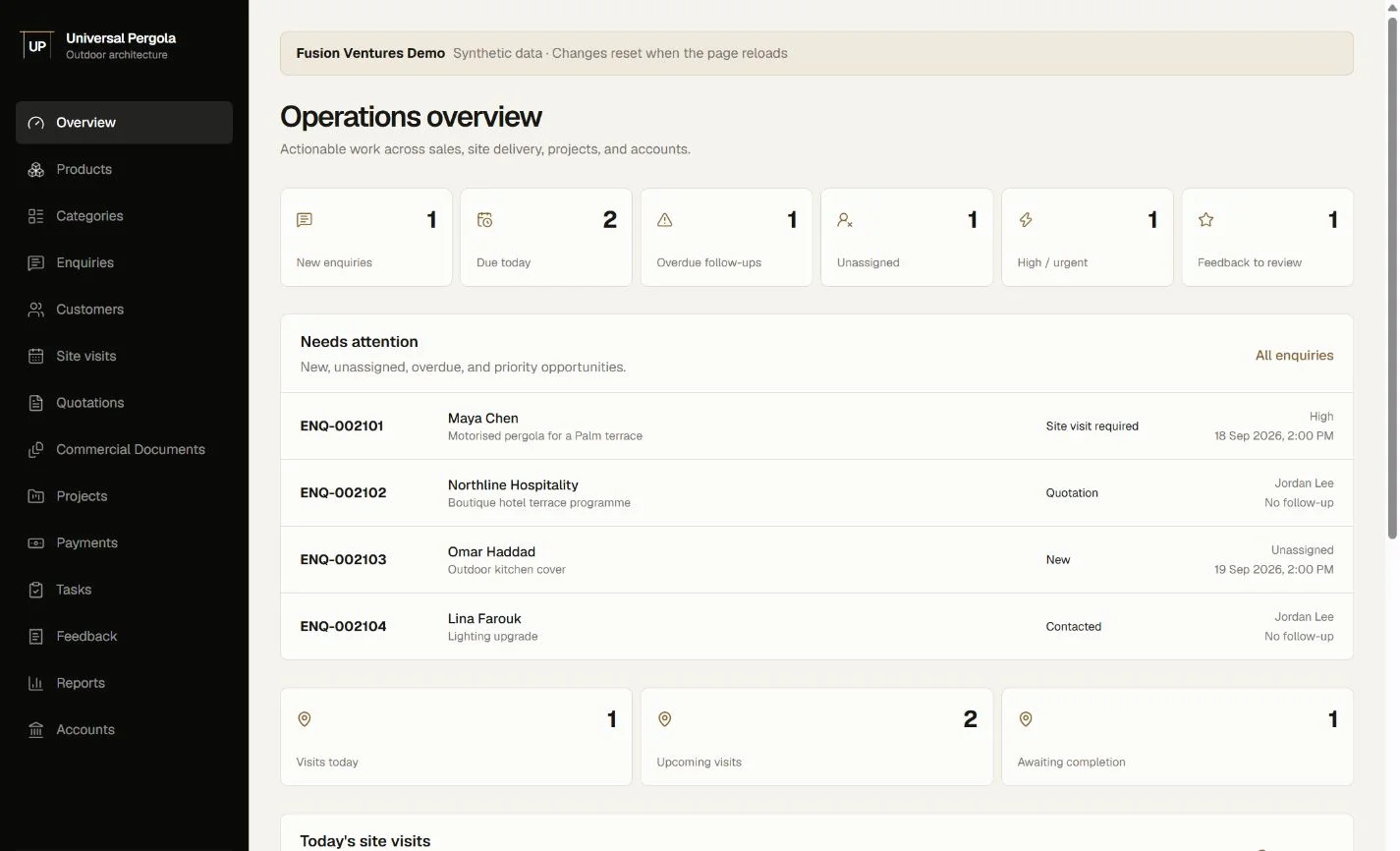
A related outdoor-project workflow example. Fit-out-specific BOQ, design approvals, Gantt scheduling and dependencies still require separate confirmation.
Explore Universal Pergola demoOpens Fusion Ventures’ public demo in a new tab. Production features, integrations and local requirements need confirmation.
Operational benefits to work toward, with the records and responsibilities to support them.
An approval gate helps buyers work from the agreed revision and quantities.
Material readiness becomes an input to the schedule rather than an unexpected site problem.
Recorded variations and completion evidence support a more informed cost review.
Review drawing storage, estimation spreadsheets, purchasing and accounting tools. File permissions, revision control and cost-code mapping matter more than a logo list. CAD/BIM connectors, scheduling imports and accounting sync are unconfirmed until technical review.
Discuss integrations & customizationSite staff need short issue reports and access to the right approved reference on a phone. Estimators and planners need full BOQ and schedule views on desktop. Validate drawing readability, attachment sizes and access on site; native apps and offline use are not assumed.
Clear scope makes for a better decision.
Dependencies and milestones are part of the proposed fit-out scope. Agree how predecessor changes affect successors, whether dates recalculate, and who approves a new baseline. Validate these behaviors in the demo.
Use an approved baseline and identify subsequent change requests with an approval state, cost impact and revision reference. Confirm how approved variations update the contract and procurement records.
That is not the intended planning model. Discuss how approved drawings and document references should be made available to project teams, and verify any integration separately.
Bring an anonymized BOQ, quotation revision, design approval log, project schedule, purchase request and snag list. Include a real example of a delay or variation.
Show us where the handoffs get difficult. We’ll discuss your requirements and confirm the right next step, including demo availability and a custom CRM quote.
No obligation. No assumed feature list. A practical conversation about your business.
WhatsApp Enquiry ayishamuneer4342@gmail.comContact Us