What gets missed?
Map lost enquiries, duplicate records, unclear ownership and repeated data entry. Name the problem before choosing a module.

Connect customer relationships to the work that happens next. Explore CRM and business management software shaped around your industry, your team and your everyday operations.
Industry-specific workflows. A conversation around your business.
| Customer request | Next step | Team |
|---|---|---|
| Equipment hire | Reserve & dispatch | Rental desk |
| Laundry collection | Process & return | Order desk |
| Fit-out enquiry | Approve & schedule | Project desk |
A rental contract isn’t a laundry ticket. Choose the workflow closest to your business and explore the records, decisions and handoffs that matter.
Connect asset availability, contracts and the yard.
Follow every order from pickup to payment.
Connect client approvals to work on site.
Bring units, tenants and rent schedules together.
Connect leads, itineraries and booking handoffs.
Customer relationships continue after a quotation is accepted. Your team still has equipment to dispatch, garments to return, approvals to secure, rent to reconcile or travel arrangements to confirm.
Start with those operational realities. Then decide which customer records, tasks, documents and reports should be connected, and which existing tools should remain the source of truth.
Talk through your workflowFor business owners, operations managers and teams ready to bring scattered spreadsheets, conversations and daily work into a clearer process.
Map lost enquiries, duplicate records, unclear ownership and repeated data entry. Name the problem before choosing a module.
Define the next action for sales, operations and accounts. Give each handoff an owner and a clear completion rule.
Review your accounting, documents and communication tools. Confirm integration feasibility instead of assuming a connector exists.
These are the stages of a CRM scoping conversation. The resulting feature set, pricing and implementation approach are confirmed for your business.
Review your current tools, sample documents and operational exceptions.
Connect customer records to the tasks, approvals and transactions that follow.
Review relevant demonstrations and confirm features, devices and integrations.
Define the scope, responsibilities, costs and rollout plan before commitment.
Explore these Fusion Ventures public demo interfaces. Their records are fictional; use the screens to discuss the workflow and scope your team needs.
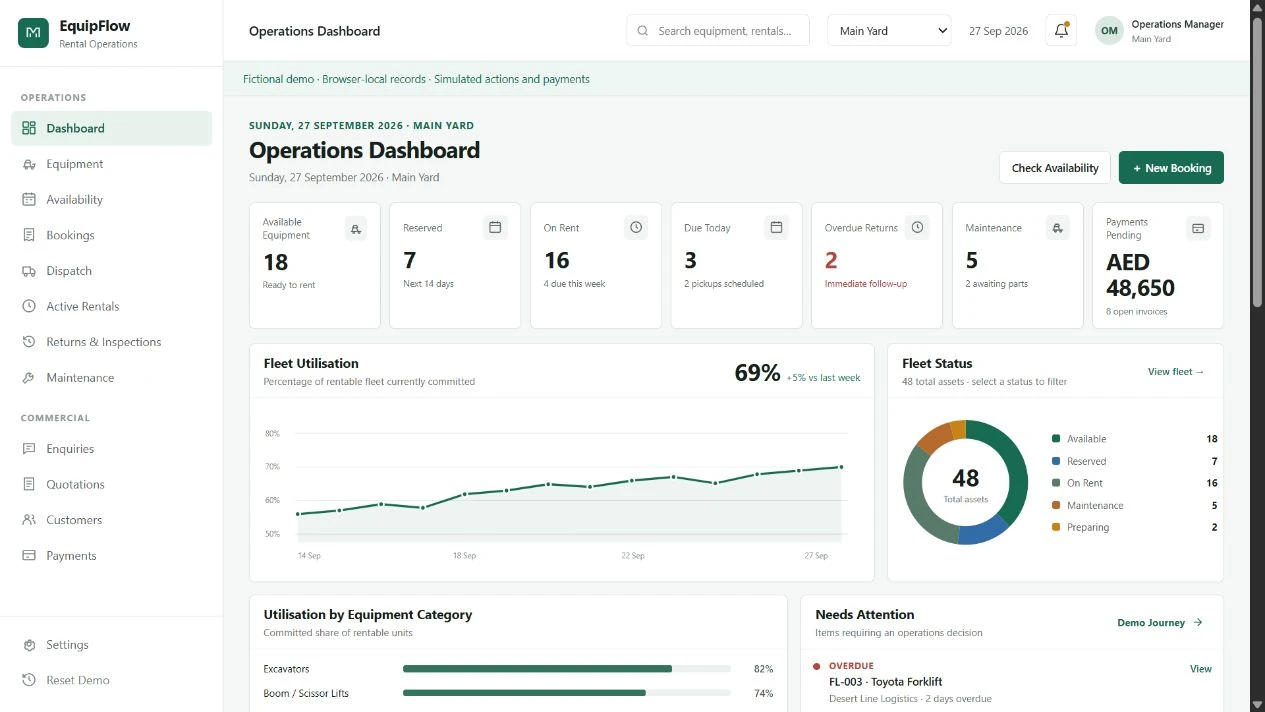
Explore a public rental workflow with availability, bookings, dispatch, inspections and maintenance. The screenshot shows fictional data and simulated payments.
Explore EquipFlow demoOpens Fusion Ventures’ public demo in a new tab. Production features, integrations and local requirements need confirmation.
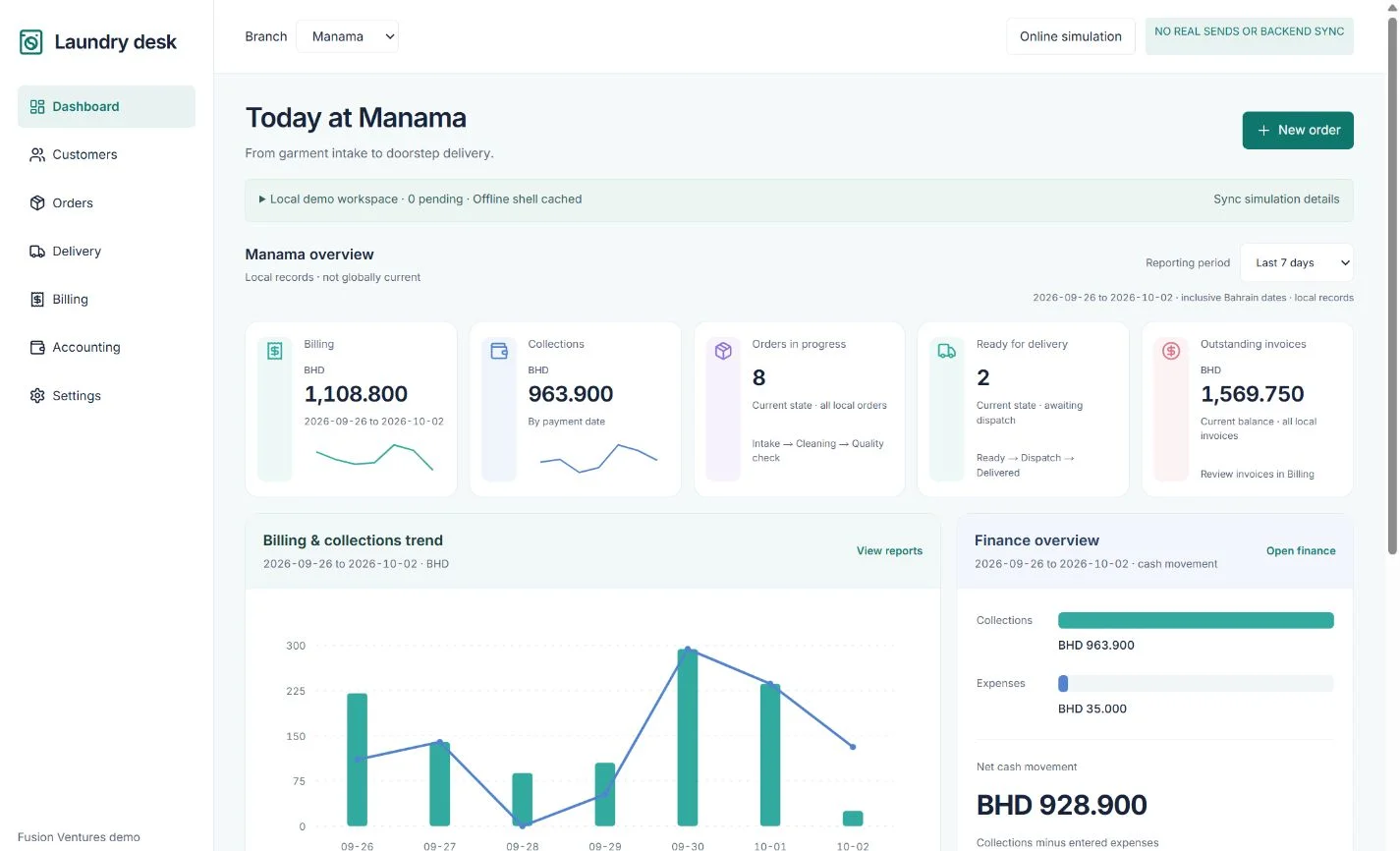
Review a branch-based laundry example covering intake, cleaning, delivery and billing. Its BHD figures and communication behavior are demonstration data and simulations.
Explore Laundry CRM demoOpens Fusion Ventures’ public demo in a new tab. Production features, integrations and local requirements need confirmation.
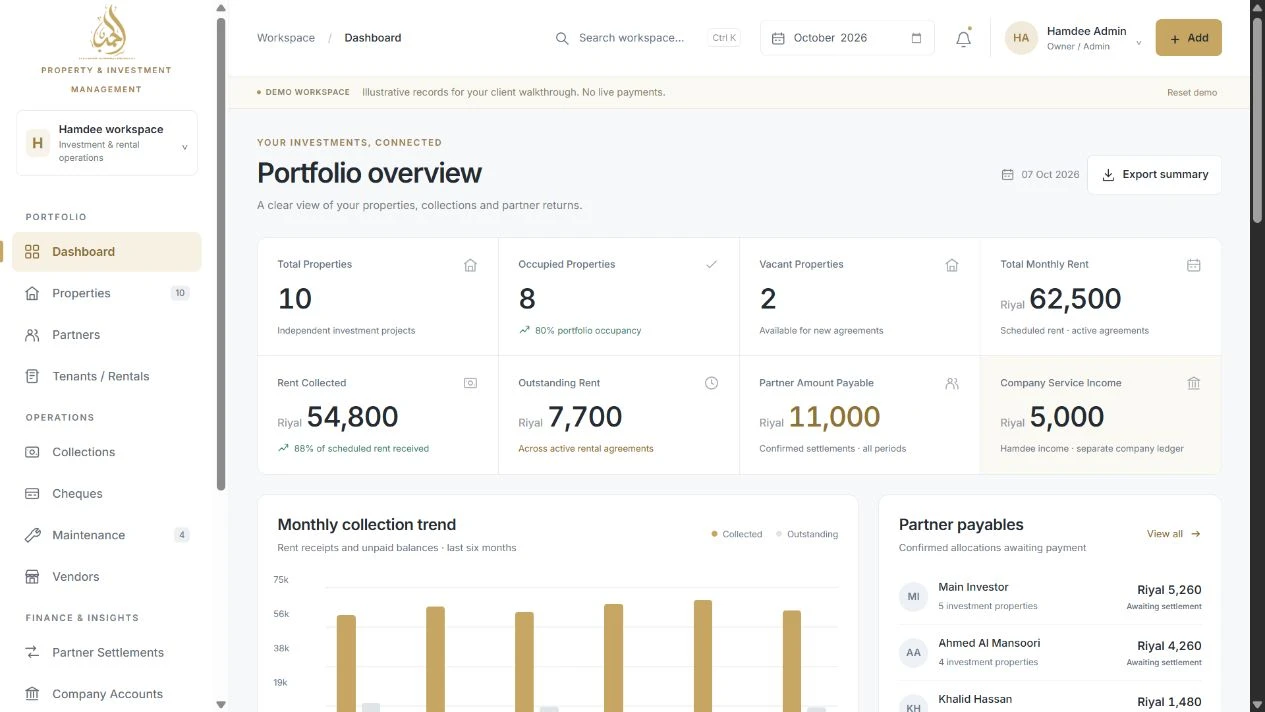
See a property investment and rental example with collections, cheques, maintenance and separate company accounts. All displayed balances are fictional.
Explore Hamdee International demoOpens Fusion Ventures’ public demo in a new tab. Production features, integrations and local requirements need confirmation.
A rental team needs to know what is due back; a laundry needs to know what is ready. Agree industry-specific use cases and report definitions before choosing dashboards. Useful outcomes start with reliable records.
Discuss data migration, document storage, accounting and communication preferences. Integrations depend on provider access, permissions and compatibility. No named integration or automatic sync is promised.
Plan concise phone views for field tasks and detailed desktop views for coordination. Device support, native apps and offline requirements must be verified in the agreed solution.
Clear scope makes for a better decision.
These pages describe industry workflows and proposed CRM scope to discuss. They do not confirm that every listed module is available. Ask for a relevant demonstration and a written feature scope before choosing a solution.
Yes. Share your country, industry and operating requirements. Currency, language, tax rules, hosting, support and local requirements need to be confirmed for your business; worldwide product coverage is not assumed.
There is no verified standard price in this release. Cost depends on the agreed modules, users, data migration, integrations and support. Request a custom CRM quote after outlining your requirements.
Bring anonymized examples with field names and approximate record volumes. Import formats, data cleanup, ownership and validation need assessment before migration is included in the project.
Your enquiry is sent through the site’s existing email service. The team can discuss your business process and confirm a suitable next step. Demo availability, response time and product fit are not guaranteed.
Show us where the handoffs get difficult. We’ll discuss your requirements and confirm the right next step, including demo availability and a custom CRM quote.
No obligation. No assumed feature list. A practical conversation about your business.
WhatsApp Enquiry ayishamuneer4342@gmail.comContact Us